iPhone Overheating Fix: The Complete Guide to Cool Down Your Phone Fast
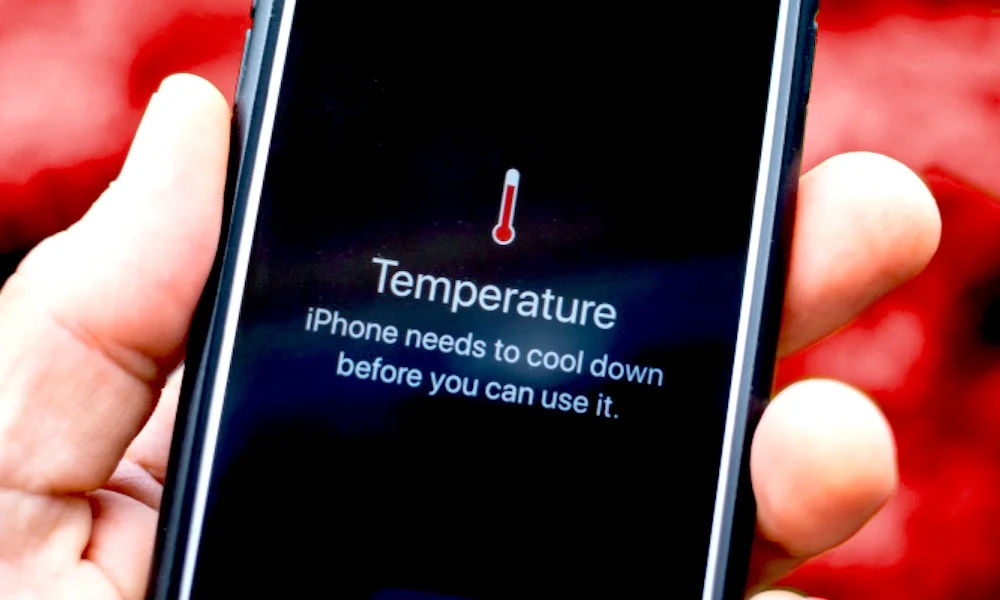
Your iPhone feels like a tiny hand warmer. The screen dims on its own. A message pops up saying “iPhone needs to cool down before you can use it.” Sound familiar? You are not alone. iPhone overheating is one of the most common problems iPhone users report, and the good news is that most fixes are free and easy to do right now.
This guide will walk you through immediate actions to cool down your phone, the best settings to adjust, and long-term solutions to stop the problem from coming back. Whether you have an iPhone 12, iPhone 15 Pro, or anything in between, this guide covers you.
How to fix an overheating iPhone:
- Remove the phone case and move to a cooler spot.
- Close all background apps and turn on Airplane Mode for 2 minutes.
- Lower screen brightness and turn off Background App Refresh.
- Avoid charging and using the phone at the same time.
- Restart the device once it cools down.
Why Does Your iPhone Overheat in the First Place?
Before jumping to fixes, it helps to understand what is going on inside your device. Your iPhone has a processor that works hard whenever you stream video, play games, use GPS, or charge the battery. All of that work creates heat. A small amount of warmth is totally normal. But when the phone gets truly hot, something is pushing the processor too hard or preventing heat from escaping.
Common causes include:
- 1 Direct sunlight or hot environments: Leaving your phone in a hot car or on a sunny beach is the fastest way to trigger the overheat warning.
- 2 Charging while gaming or streaming: Doing two energy-heavy tasks at the same time pushes the battery and processor to their limits simultaneously.
- 3 Outdated iOS software: Apple regularly releases updates that fix bugs, causing the processor to work overtime. Skipping updates means those bugs stay on your phone.
- 4 Too many background apps: running in the background constantly check for updates, send notifications, and sync data, all of which use processor power and generate heat.
- 5 A worn-out battery: An old battery works harder to deliver the same power, which creates more heat than a healthy battery would.
Safety First
Apple says the ideal operating temperature for iPhone is between 32°F and 95°F (0°C to 35°C). If your phone reaches temperatures beyond that, it will slow itself down or shut off automatically to protect the hardware. Never ignore this warning.
Immediate Actions to Cool Down Your iPhone Right Now
If your phone is hot to the touch right now, do these steps in order. Most people see a noticeable difference within 5 to 10 minutes.
Step 1 — Take the Case Off
Phone cases trap heat. They are great for protecting your screen, but terrible for letting heat escape. The moment you notice your iPhone getting very warm, pop the case off. The metal or glass back of the phone is actually designed to act as a heat spreader. Letting it breathe is one of the fastest free fixes available.
Step 2 — Move Away from Heat Sources
Get away from direct sunlight, car dashboards, stoves, or any hot surface. Place your phone on a cool, flat surface like a wooden desk or a countertop. Do not put it in the freezer or press an ice pack against it. Going from very hot to very cold too quickly can cause condensation inside the device, which leads to water damage.
Step 3 — Turn on Airplane Mode
Cellular radio, Wi-Fi, and Bluetooth all consume energy and generate heat, especially when your phone is searching for a strong signal. Switching to Airplane Mode cuts all of those connections instantly and gives the processor a chance to rest. Leave it on for 2 to 3 minutes while the phone cools down.
Step 4 — Force Close All Apps
Swipe up from the bottom of your screen (or double-press the Home button on older models) to open the app switcher. Swipe every open app away to close it. Even apps you are not actively using can run code in the background and keep the processor warm.
Step 5 — Stop Charging Immediately
Charging generates heat on its own. If you are charging and using the phone at the same time, you are doubling the heat production. Unplug the cable, let the phone cool down completely, then go back to charging once it feels normal again.
Pro Tip
A small desk fan pointed at your phone (not a hair dryer) is a great way to speed up the cooling process safely. Room-temperature moving air is all you need.
Settings to Adjust to Prevent iPhone Overheating
Once your phone has cooled down, the next step is adjusting a few settings that commonly cause iPhones to run hot. These changes take less than 5 minutes to make and can have a big impact.
High Impact
Turn Off Background App Refresh
Go to Settings → General → Background App Refresh → Off. This stops apps from running and syncing when you are not using them.
High Impact
Lower Screen Brightness
The display is one of the biggest power draws on your phone. Pull down Control Center and slide brightness to 50% or lower when indoors.
High Impact
Turn Off Location Services for Unused Apps
Settings → Privacy and Security → Location Services. Set most apps to “Never” or “While Using.” GPS is a major heat source.
Medium Impact
Disable Push Email
Settings → Mail → Accounts → Fetch New Data. Switch from Push to Fetch and set the interval to every 30 minutes.
Medium Impact
Enable Low Power Mode
Settings → Battery → Low Power Mode. This reduces background activity, auto-downloads, and visual effects across the whole phone.
Medium Impact
Turn Off Auto-Downloads
Settings → App Store. Turn off App Updates, Apps, and Books and Audiobooks. Let downloads happen only when you choose them.
Update Your iOS Software
Go to Settings → General → Software Update. If an update is available, install it. Apple frequently patches bugs that cause the processor to overwork. Staying updated is one of the simplest long-term protections you have.
Reset Network Settings If Heat Persists
Sometimes the cellular or Wi-Fi radio gets stuck searching for a signal it cannot find. This drains the processor and battery hard. Go to Settings → General → Transfer or Reset iPhone → Reset → Reset Network Settings. You will need to re-enter your Wi-Fi passwords, but this often fixes heat caused by a stubborn radio.
Long-Term Solutions for a Cooler, Healthier iPhone
Quick fixes are great, but long-term phone guiding habits make the real difference. If your iPhone overheats regularly, these are the changes that will protect it over the coming months and years.
Check Your Battery Health
Go to Settings → Battery → Battery Health and Charging. If your Maximum Capacity is below 80%, your battery is worn out. A degraded battery works harder to deliver the same power and creates more heat doing it. Apple charges around $99 to replace an iPhone battery, and most users report a dramatic improvement in both heat and battery life after a replacement.
Good to Know
Under the Right to Repair laws now expanding across the US, you have more options than ever for affordable battery replacements, including Apple-certified third-party shops.
Use a MagSafe or Certified Charger Only
Cheap third-party chargers often deliver inconsistent power, which forces the battery to work harder and run hotter. Stick with Apple’s official charger or an MFi-certified (Made for iPhone) cable and adapter. The price difference is worth it.
Avoid Full Charge and Full Drain Cycles
Lithium-ion batteries, which all iPhones use, stay healthiest when kept between 20% and 80% charge. Letting the phone die completely and then charging it to 100% every day puts stress on the battery and shortens its lifespan. Apple’s Optimized Battery Charging feature helps with this automatically. Make sure it is turned on at Settings → Battery → Battery Health and Charging → Optimized Battery Charging.
Do Not Use Your iPhone in Direct Sunlight for Long Periods
If you are at the beach, a theme park, or anywhere outdoors on a hot day, try keeping your phone in a bag or your pocket rather than in your hand under the sun. A small pouch or cooling wallet case can also help block heat absorption during outdoor activities.
Manage Storage Space
A nearly full iPhone works harder because the operating system constantly has to shuffle data around with very little room to work. Go to Settings → General → iPhone Storage and delete apps, photos, and files you no longer need. Keeping at least 2 to 3 GB free gives iOS breathing room.
Factory Reset as a Last Resort
If you have tried everything and your phone still overheats without a clear reason, a corrupt system file could be the culprit. Back up your phone to iCloud or your computer, then go to Settings → General → Transfer or Reset iPhone → Erase All Content and Settings. This is a nuclear option, but it works when nothing else does.
Frequently Asked Questions About iPhone Overheating
Is it bad if my iPhone gets hot while charging?
Some warmth while charging is normal, especially with fast charging. However, if the phone becomes too hot to hold comfortably, that is a sign that something is wrong. Try using a lower-wattage charger, removing the case, and avoiding heavy use while the phone charges. If the problem continues, have the battery checked.
Can iPhone overheating cause permanent damage?
Yes, repeated overheating can degrade the battery faster, reduce its maximum capacity, and in severe cases damage the logic board. Apple builds in automatic shutdowns to prevent the worst-case scenarios, but these are emergency protections, not a solution. Consistent overheating should be addressed sooner rather than later.
Why does my iPhone 15 Pro overheat more than older models?
The iPhone 15 Pro and 15 Pro Max had a widely reported heating issue at launch related to iOS 17 bugs and some third-party app optimizations. Apple released iOS 17.0.3 specifically to fix this. If you have an iPhone 15 Pro and it overheats, make sure you are running the latest version of iOS.
Should I put my iPhone in the freezer to cool it down?
Never put your iPhone in the freezer or use an ice pack directly on it. The sudden temperature drop causes condensation to form inside the device, which can damage the circuit board and camera sensors. Room temperature air is all you need. Let it cool naturally on a flat surface away from heat sources.
How long does it take for an iPhone to cool down?
In a room-temperature environment, with the case removed and apps closed, most iPhones return to a normal temperature in 5 to 15 minutes. In a hot room or direct sunlight, it can take longer. Using a gentle desk fan pointing at the phone can cut that time in half.
Does iPhone overheating mean I need a new phone?
Not necessarily. In most cases, a software update, a battery replacement, or some adjusted settings will fix the problem entirely. However, if your phone is older than 5 or 6 years, the hardware may simply be struggling to keep up with newer iOS demands. In that case, a new device might offer better value than ongoing repairs.
Why does my iPhone overheat when I use Google Maps or Apple Maps?
Navigation apps use GPS, cellular data, screen brightness, and audio all at the same time, which is one of the most processor-intensive tasks an iPhone can do. To reduce heat while navigating, dim your screen as low as possible, use Bluetooth audio instead of the speaker, keep the phone out of direct sunlight, and plug it into a car charger designed for navigation use.
Your iPhone Should Work for You, Not Against You
Bookmark this guide so you always have the steps handy. Share it with a friend whose phone runs hot. A cooler iPhone lasts longer, performs better, and keeps your data safer. Save This Guide for Later.