How to Change App Icons iPhone Without Shortcuts?
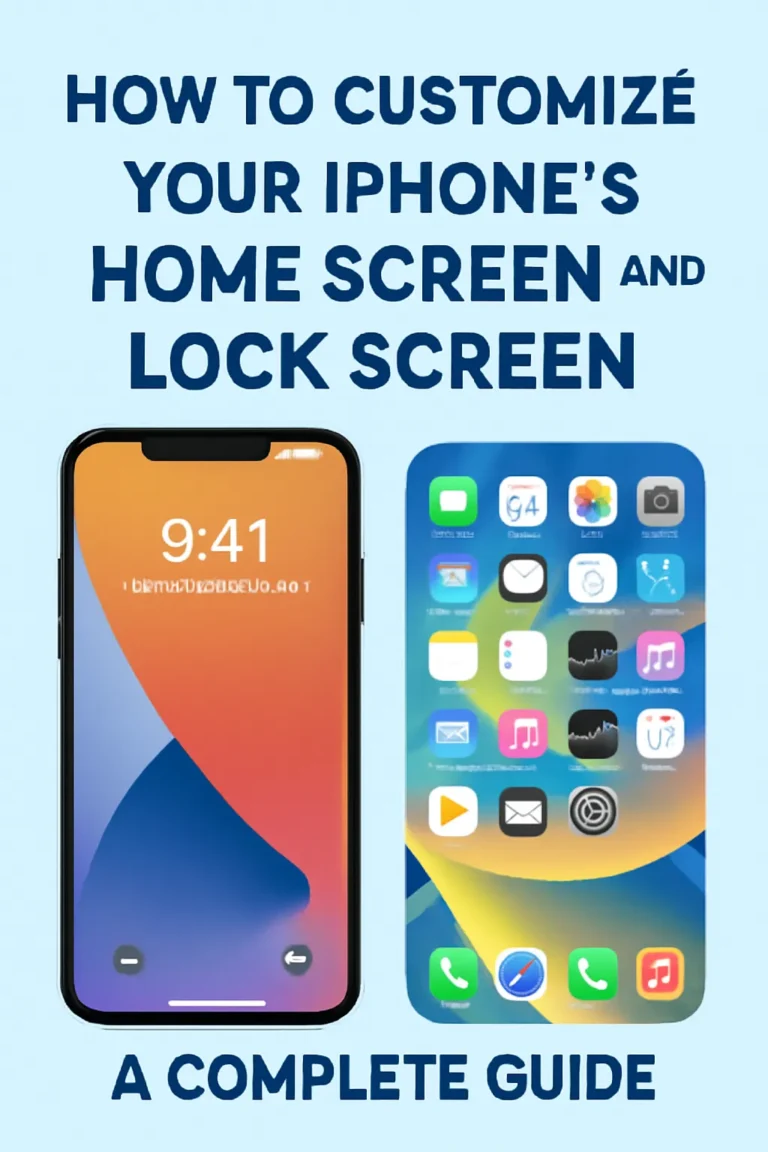
Apple introduced home screen customization in iOS 14, allowing users to change app icons and add widgets. Since then, many iPhone users have searched for ways to personalize their device without relying on the Shortcuts app.
If you’re searching for “how to change app icons on iPhone without Shortcuts,” “change app icons iOS 17,” or “change app icons iOS 18 without Shortcuts,” this updated guide explains exactly what is possible in the latest iOS versions, and what limitations still exist.
While the Shortcuts app allows full icon replacement using custom images, many users dislike:
- The extra setup process
- Creating a shortcut for every app
- The brief redirect animation
So the big question remains: Can you change app icons on iPhone without Shortcuts in the latest iOS?
Can You Change App Icons on iPhone Without Shortcuts?
Short answer: Only in limited cases.
Apple still does not allow full system-wide custom icon packs without using the Shortcuts app. However, there are now three practical ways to customize app icons depending on your iOS version.
Method #01: Change App Icons Inside the App (No Shortcuts Needed)
This is the only official way to change an app icon on iPhone without using Shortcuts.
Some apps include built-in icon customization inside their settings.
Example:
Open Telegram → Settings → Appearance → App Icon
When you select a new icon, iOS applies it immediately across the system — without opening Shortcuts and without creating a new shortcut.
Apps that support built-in icon changes include:
- Telegram
- 1Password
- Apollo for Reddit
- CARROT Weather
- DuckDuckGo Privacy Browser
- Fantastical
- Overcast
- Pocket Casts
- Reeder
- Streaks Workout
- Tweetbot
- Twitterrific
- Working Copy
Important: If the app does not include an “App Icon” option in its settings, you cannot change its icon without using Shortcuts.ot include an “App Icon” option in its settings, you cannot change its icon without using Shortcuts.
Method 2: Use iOS 18 Built-In Icon Customization (New Feature)
Starting with iOS 18, Apple introduced native icon appearance customization — without Shortcuts.
You can now:
- Change icon tint color
- Switch between Light and Dark styles
- Apply unified icon themes
- Adjust icon appearance and widget style
How to Customize App Icons in iOS 18:
- Long-press on an empty space on your Home Screen
- Tap “Edit”
- Select “Customize”
- Choose Light, Dark, Automatic, or Tinted
- Select your preferred color style
This changes the overall look of your app icons without creating shortcuts.
However:
- You cannot upload custom icon images
- You cannot apply third-party icon packs
- You cannot fully replace default Apple app icons
This feature improves personalization but does not fully replace the Shortcuts method.
Method 3: Use Widgets to Redesign the Home Screen
While widgets do not technically change app icons, they can visually transform your home screen.
To add widgets:
- Tap and hold empty space
- Tap the “+” icon
- Select a widget
- Choose size
- Add to home screen
Widgets allow you to redesign your layout, reduce visual clutter, and create a custom aesthetic without using Shortcuts for every app.
How to Change App Icons Using Shortcuts (Still Required for Full Customization)
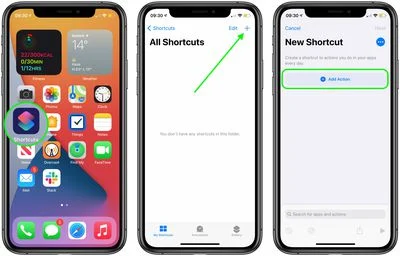
If you want completely custom app icons using your own images, Shortcuts is still required — even in iOS 17 and iOS 18.
Steps:
- Open Shortcuts
- Tap +
- Tap Add Action
- Select “Open App”
- Choose the app
- Tap the share icon
- Select “Add to Home Screen”
- Tap icon → Choose photo
- Add
iOS 17 and iOS 18 removed the noticeable redirect animation, making this method smoother than before.
What Changed in iOS 17?
In iOS 17:
- No major changes to icon replacement
- Widgets improved
- Home Screen behavior refined
- Shortcuts animation became less intrusive
There is still no built-in support for full icon pack installation.
Why Can’t You Fully Change App Icons Without Shortcuts?
Apple’s design philosophy prioritizes:
- Security
- App identity consistency
- Brand integrity
Unlike Android, iOS does not support:
- Custom launchers
- Third-party theme engines
- Full icon pack imports
Until Apple introduces a native theme system, Shortcuts or developer support remains necessary for full icon replacement.
Best Method Based on Your Goal
If you want:
• Quick color theme → Use iOS 18 Customize option
• Official icon variations → Use in-app icon settings
• Full custom images → Use Shortcuts
• Aesthetic layout redesign → Use widgets
FAQs: How to Change App Icons iPhone Without Shortcuts?
On An iPhone, how do I See the Open Apps?
One of the following actions will display all your type open apps in the App Switcher: Face ID on an iPhone: Swipe upward from the bottom of the screen, then stop in the middle. With a Home button on an iPhone: Click the Home button twice.
How Can I Manually Change The iPhone’s Icons?
Under Home Screen Name and Icon, tap the icon. You will be given the option also to take a photo, select an existing image, or select a file. If you already have a photo saved in Photo, tap on choose photo and choose the picture you want.
Note: This method still uses the Shortcuts app.
How do I make custom app icons?
Use the Shortcuts app to create a new shortcut → Add Action → Open App → Choose app → Add to Home Screen → Select custom icon.
Can I change app icons on iPhone without Shortcuts?
Only for apps that support built-in icon customization. Otherwise, Shortcuts is required.
Can I change app icons on iPhone without Shortcuts in iOS 18?
Yes, but only to change color, tint, and style. You cannot replace the icon image completely without Shortcuts.
How do I change app icons on iOS 17?
Use Shortcuts for custom images, or check if the app has built-in icon options in settings.
Can I install icon packs on iPhone like Android?
No. iOS does not support full icon packs or custom launchers.
Why do some apps allow icon changes?
Because the developer added multiple icon files and enabled switching inside app settings.
Final Verdict (2026 Updated)
If you’re searching for:
- how to change app icons iPhone without shortcuts
- change app icons iOS 18
- how to change app icons without shortcuts iOS 17
- can you change app icons without Shortcuts
Here’s the clear answer:
You can partially customize app icons in iOS 18 using built-in appearance settings, but full custom image replacement still requires the Shortcuts app or developer support.